What makes a professional jewellery render? An image approval checklist
Check metal colour, stones, scale and product views before approving advertising imagery for a ring or necklace.
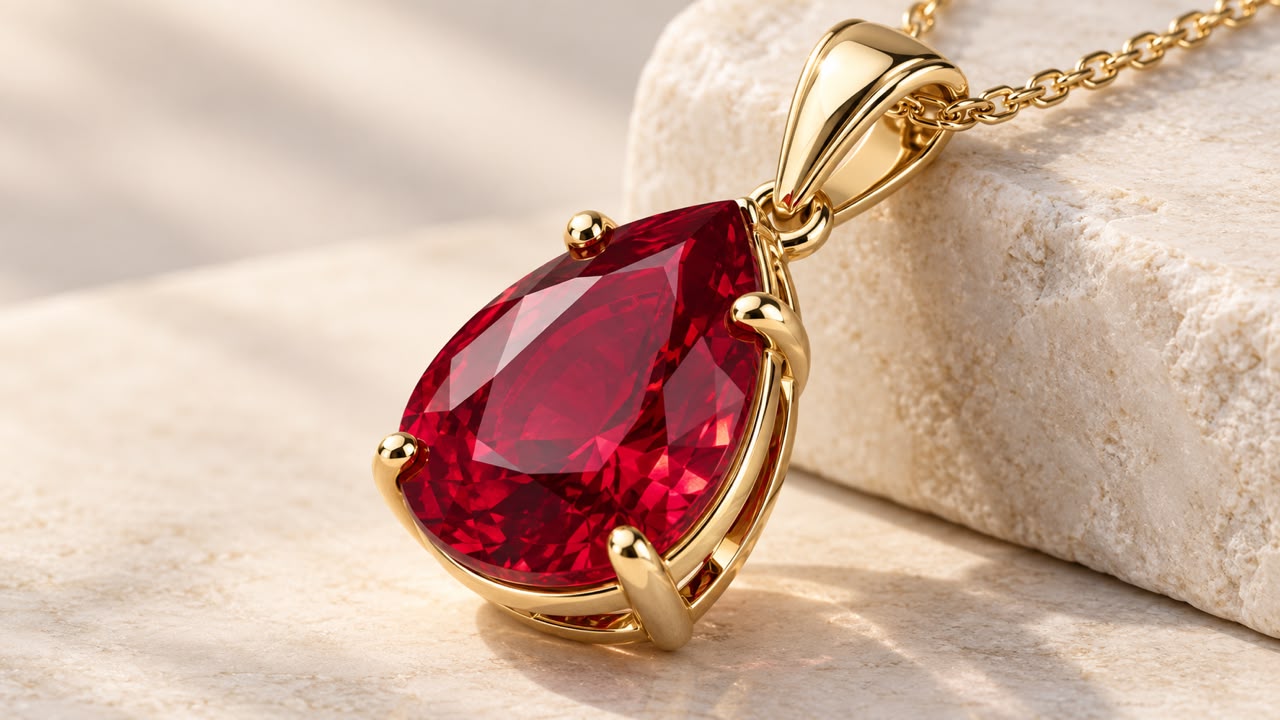
A good jewellery render should be attractive and informative. A bright highlight on a stone may draw attention, but if the setting, band thickness or chain connection is unclear, the image may not support a decision. Approval needs more than “it looks beautiful”.
Establish what the image represents
Is it an existing product, an approved 3D model or a concept still in development? If the project began with AI jewellery concepts, distinguish a visual idea from a manufacturable product. A render should not imply features absent from the real item.
In a hypothetical pendant image, the front looks appealing but the chain opening is hidden. A three-quarter view may resolve the question without adding unnecessary decoration.
Review shape and material separately
First ignore colour: is the intended symmetry intact, is the stone count correct, and are edges, the back and connections readable? Then inspect materials. Polished metal, matte surfaces and transparent stones should not react to light identically. The guide to product lighting and materials explains this distinction.
Blender's documentation describes how colour spaces and display transformations affect output. Review the final exported file in its intended publishing environment and allow for differences between displays. Image colour is not proof of metal purity or gemstone quality.
A store-delivery checklist
- Provide one clear main view with enough space for cropping.
- Use a complementary view for details hidden in the main image.
- Connect filenames to the actual product code.
- Compare lettering and branding with the original assets.
- Deliver publishing files separately from high-quality archive files.
Across a collection, keep camera position, scale and subject distance reasonably consistent. A shared visual identity makes the store look like a coherent collection rather than unrelated projects.
Give different images different jobs
A precise product view, a brand-mood image and an educational detail image serve different purposes. When choosing photography or product illustration, specify which output explains the item accurately and which supports a campaign. For a service or product landing page, also consider loading speed and mobile readability.
When requesting Visionairt rendering or illustration, provide the model or reference photographs, view list, publication location and sensitive details. These help define visual direction and revisions. Technical design approval and the product's real characteristics remain dependent on information from its maker.
Sources and review date
Sources reviewed for the original Persian edition: 24 September 2026. Examples and practical checklists are editorial guidance. English edition: 24 September 2026.